
Speakers and Headphones for Listening to Radio: A Practical Buying Guide
October 11, 2026 · Updated November 02, 2026
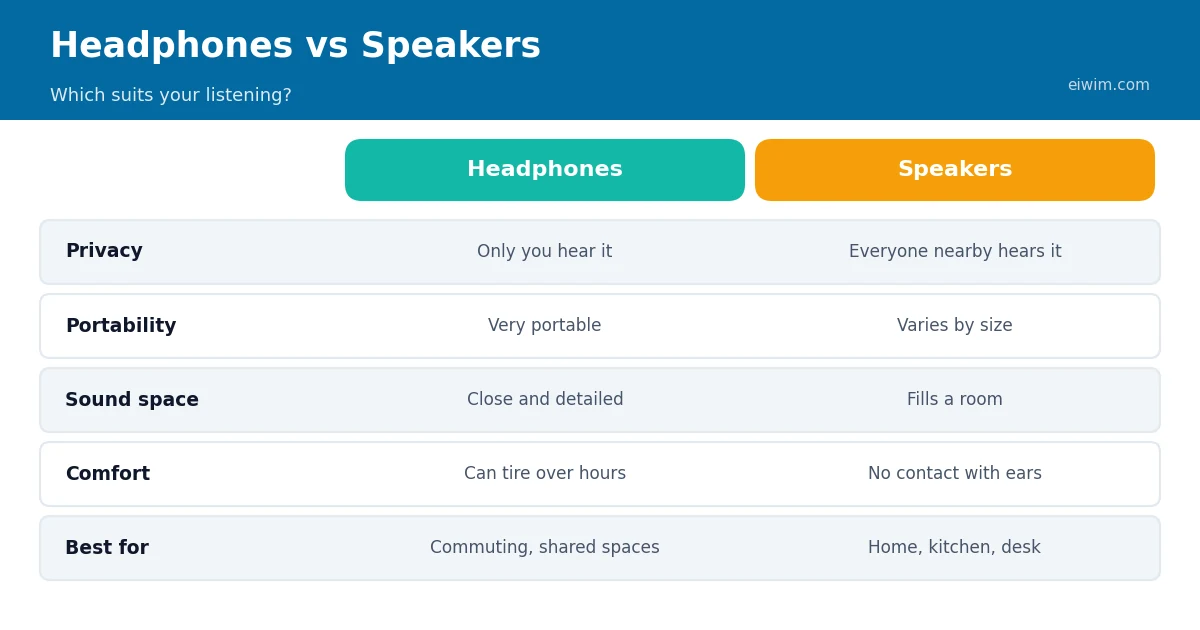
Radio sounds different depending on how you listen to it. The same station can seem thin and tinny through a phone speaker and warm and clear through a good pair of headphones. You do not need expensive equipment to enjoy online radio, but a few sensible choices make a big difference. This guide explains what to look for without recommending specific brands, because models change quickly and the best option depends on your budget and habits.
Start with how you listen
Before you shop, think about where and when you listen.
- At a desk or while working: comfortable headphones or a small desktop speaker.
- In the kitchen or living room: a Bluetooth or plug-in speaker that can fill the room.
- On the move: light, wireless earbuds or on-ear headphones.
- At night: headphones that are comfortable lying down, or a low-volume speaker.
The best equipment is the equipment that suits your routine. A pair of excellent over-ear headphones is no use if you never want to wear them in the kitchen.
Headphones: types and trade-offs
- Over-ear headphones cover your ears completely. They usually offer the most comfortable sound for long listening and the best isolation, but they are bulky.
- On-ear headphones rest on the ears. They are lighter, but some people find the pressure uncomfortable after a while.
- In-ear earphones sit in or at the entrance of the ear canal. They are small and portable, but fit varies, and a poor seal reduces bass.
Speakers: types and trade-offs
- Portable Bluetooth speakers are battery powered and easy to carry around the house or garden.
- Desktop or bookshelf speakers usually sound fuller and are best for a fixed spot.
- Smart speakers add voice control and can stream radio stations by name.
For speech-heavy stations, such as News-Talk and Talk, clarity in the middle of the frequency range matters most. For music stations, especially Electro, Hip Hop or Classical, a wider range with good bass and detail will make the music more enjoyable.
Understanding Bluetooth
Most wireless equipment uses Bluetooth. A few points are worth knowing:
- Bluetooth compresses audio, so it never sounds quite as good as a wired connection with the same equipment. For radio, which is already compressed, the difference is usually small.
- Different devices support different audio formats, called codecs. The basic one, SBC, works everywhere. AAC is common on Apple devices, and some Android devices support other options. For both ends to use a better codec, both must support it.
- A slight delay is normal and does not matter for audio-only listening. It can matter for video, but not for radio.
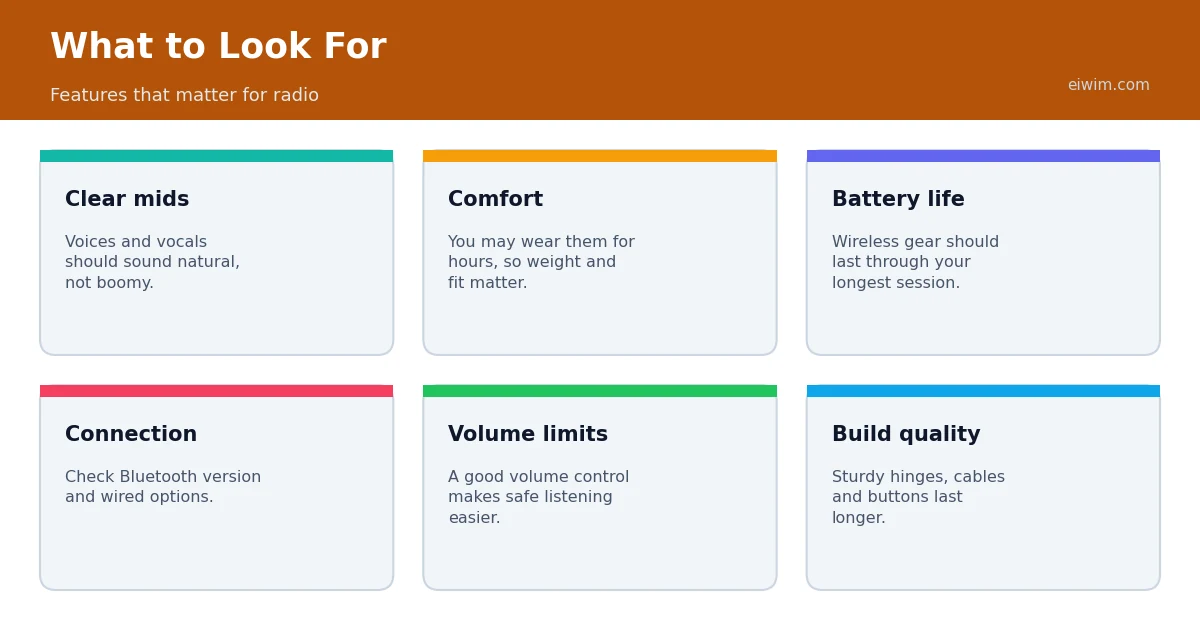
- Battery life varies a lot. Check that it lasts through your usual listening session.
Wired or wireless?
Wireless is convenient, but wired still has advantages. A cable never needs charging, never drops out and often gives better sound for the price. If you listen mostly at a desk, a simple wired set might be the best value. If you move around, wireless wins.
Does the stream limit the sound?
Yes. A radio stream is compressed, and its quality depends on the bitrate. A 64 kbps stream will sound limited even on excellent equipment, while a 128 kbps or 192 kbps stream will sound much better. Before blaming your headphones, check the stream quality. Our guides to bitrate and MP3 vs AAC and to improving audio quality when streaming radio explain how to get the best sound.
Placement and room tips for speakers
- Place speakers at ear height if you can, and slightly angled toward where you sit.
- Keep them away from corners, which exaggerate bass and can make the sound muddy.
- Leave a little space behind them rather than pressing them against a wall.
- Soft furnishings, such as curtains and rugs, reduce echo and improve clarity.
Protect your hearing
Hearing damage depends on both volume and time. Health organisations generally advise keeping volume at a moderate level and taking breaks during long sessions. A simple rule of thumb: if someone next to you can clearly hear your headphones, or if you need to raise your voice to talk over the music, it is too loud. If your ears ring or feel muffled after listening, turn the volume down and rest. Radio is usually a low-volume background activity, so it fits well with safe listening habits.
Budget advice
You do not need to spend a lot. For radio, comfort, clear voices and reliable connection matter more than extreme bass or specialist features. Read independent reviews, check the return policy and, if you can, try equipment before you buy. If you already own decent headphones that you use for music, they will also work well for radio.
Care and maintenance
Good equipment lasts longer when it is looked after. Wipe headphone ear pads and earbuds regularly, and replace worn pads if the manufacturer offers them. Keep cables loosely coiled rather than tightly wrapped, since sharp bends can damage the wire inside. Charge wireless devices before the battery is completely empty and avoid leaving them in hot places, such as a parked car. For speakers, avoid placing them near liquids and keep vents and grilles free of dust. Update device software when updates are available, because manufacturers sometimes improve battery life and Bluetooth stability.
Using radio with an existing sound system
If you already have a stereo or a TV with speakers, you can often use them for online radio. You can connect a phone or computer with an audio cable, use Bluetooth if the system supports it, or cast audio from a phone with a supported system. This is a cheap way to get better sound without buying anything new.
Frequently asked questions
Do I need special headphones for online radio?
No. Any headphones or speakers will work. Better equipment simply makes the sound clearer.
Is Bluetooth good enough for radio?
Yes. Radio streams are already compressed, so the small quality loss from Bluetooth is usually hard to notice.
Why does my radio sound thin?
It could be a low-bitrate stream, a weak speaker or poor placement. Try a higher quality stream or a different output to find the cause.
How loud is too loud?
If others can hear your headphones, or you have to shout to be heard over the sound, lower the volume.
Once your equipment is ready, explore the genres page and find a station that makes the most of it.