
How to Improve Audio Quality When Streaming Radio
November 01, 2026 · Updated November 02, 2026
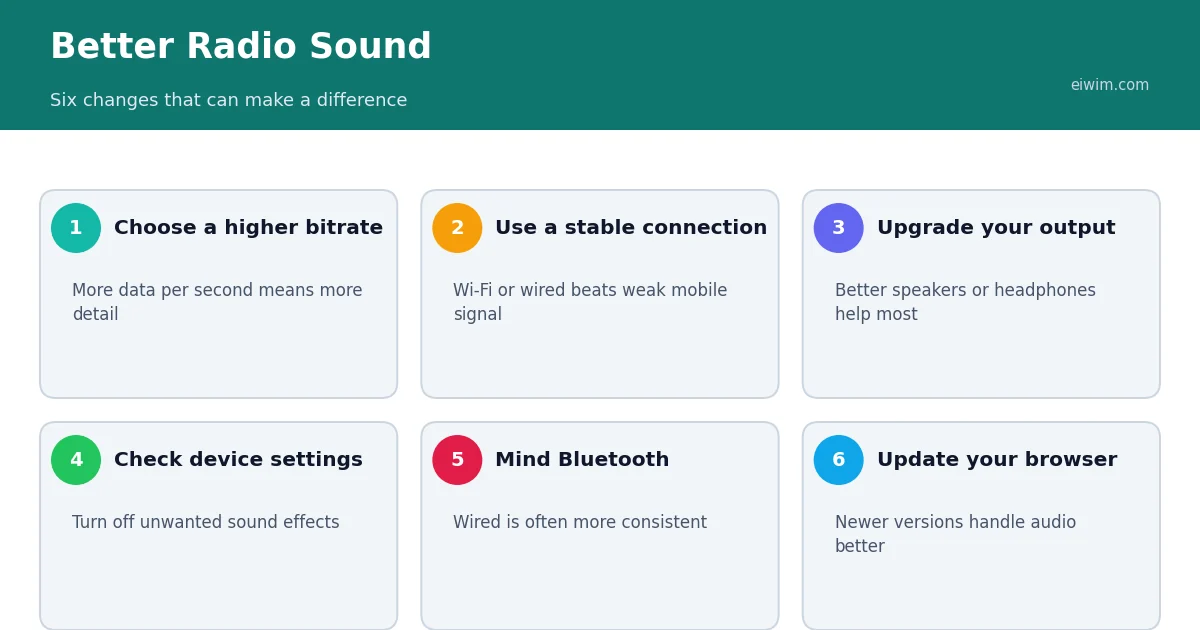
If a radio stream sounds thin, harsh or choppy, the cause may be the stream, your connection or your equipment. The good news is that several of these are under your control.
Know the limits of the stream
A station chooses its own bitrate and codec, and that sets a ceiling on quality. A 64 kbps stream will never sound like a 256 kbps one, however good your headphones are. If you have a choice between versions of a station, pick the higher bitrate when your connection and data plan allow. Our guide to bitrate and codecs explains what the numbers mean.
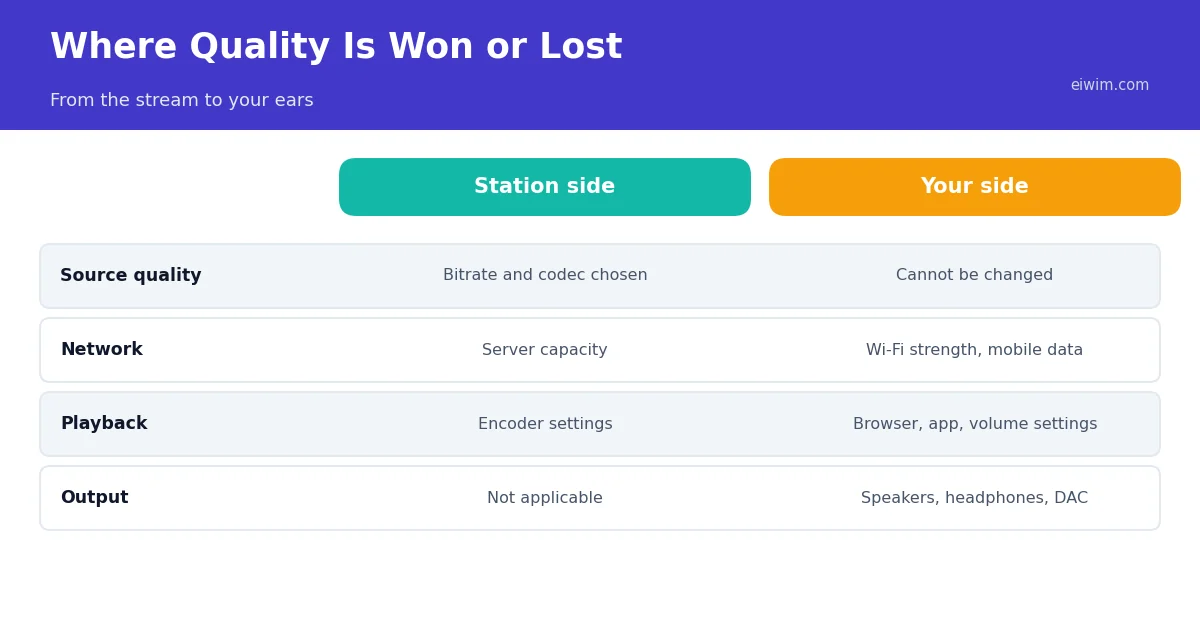
Fix your connection first
A weak connection causes stuttering and drop-outs rather than a change in tone, but it is often what listeners notice most.
- Use Wi-Fi close to your router, or a wired connection for a desktop or smart speaker.
- Pause large downloads and video streams while you listen.
- If you are on mobile data and the signal is poor, lower the bitrate or try again in a better spot.
Improve what you listen on
Built-in phone and laptop speakers are small and cannot reproduce bass or detail. Decent wired headphones or a desktop speaker set will often improve the sound more than any setting. If your device has an equalizer, try gentle changes: a small boost to the bass or treble can compensate for thin speakers, while turning every slider up usually makes things worse.
Check your device settings
- Disable special sound effects or "enhancers" that colour the sound unless you like them.
- Keep the device volume high enough that you are not turning the app volume down to very low levels, which can add noise.
- Make sure the browser or app is up to date.
Think about Bluetooth
Wireless headphones and speakers compress audio again before sending it, and quality depends on the codec both devices support. For most radio listening the difference is small, but if you are very sensitive to sound quality, a wired connection is more consistent.
Match the content to the quality
Some content is forgiving. Spoken-word stations in the News-Talk category sound fine at low bitrates, while music such as Jazz and Classical rewards better quality and equipment.
When nothing helps
If sound quality is poor on every station, the issue is probably your equipment or connection. If it is poor only on one station, it may be the stream itself. In that case, try a similar station and use the report option if a stream seems broken. Our checklist of fixes for streams that will not play covers the most common problems.
Wi-Fi tips that make a difference
A weak or crowded Wi-Fi connection is one of the most common reasons for poor streaming. Place your router in a central, open position, away from thick walls, metal objects and microwaves. If your router offers two bands, 2.4 GHz and 5 GHz, remember that 5 GHz is usually faster but covers a shorter distance, while 2.4 GHz reaches farther but is more crowded. Sit in the same room as the router when testing. If many devices share the connection, pause large downloads or video streams while you listen. Restarting the router once in a while can also clear problems. If your home has dead zones, a mesh system or extender may help.
Use the sound settings on your device
Many phones and computers include sound enhancements, such as an equalizer, bass boost or loudness setting. These can make speech clearer or music richer, but they can also create distortion if they are too strong. Try a flat or default setting first, then adjust a little. For talk stations, a slight boost to the middle frequencies can improve clarity. For music, a gentle boost to bass and treble can help small speakers. Do not combine several enhancements at once, because the effects stack and may make the sound harsh. If your headphones come with an app, check whether it offers preset profiles.
Power-saving modes
Battery saver modes on phones and laptops can reduce performance and limit background activity. In some cases, they reduce network speed or pause audio when the screen is off. If your stream stutters while the battery is low, plug the device in or turn off power saving and see whether the problem disappears. Overheating can also cause throttling, so avoid leaving a device in direct sun while it plays.
Consider wired options
A wired connection is more stable and often sounds better. For computers, an Ethernet cable avoids Wi-Fi problems entirely. For audio, a cable between your device and speakers or headphones avoids Bluetooth compression and latency. If your phone has no headphone socket, a small adapter can connect wired headphones through the charging port. These solutions are cheap and give a steady result, which can be valuable for long listening sessions. Our guide to speakers and headphones for radio has more on equipment choices.
Test and compare
To find out what really helps, change one thing at a time and listen again. Switch between a low-bitrate and a higher-bitrate stream of the same station. Try the same stream through speakers and headphones. Compare Wi-Fi with mobile data. Notice whether the sound improves, and keep the setting that works. It is easy to spend money on equipment when the real problem is a weak stream or a crowded network, so test first. If a stream still sounds poor, see 8 fixes for a stream that will not play to rule out other issues.
Bluetooth and quality
If you listen through Bluetooth, the quality can vary depending on the devices and codecs used. Keep your phone and speaker or headphones close together, with no walls or large obstacles between them. Make sure both devices are updated and fully charged, since low battery on either side can affect the connection. If you hear skipping or crackling, forget the pairing on both devices and pair again. Remember that Bluetooth adds a small delay, which does not matter for radio, but wired headphones can still sound a little cleaner. Most listeners find that a stable connection is more important than any single setting.
Quick answers
Why does my stream sound worse than FM?
Many streams use lower bitrates than a clean FM signal delivers, and weak connections can add glitches.
Will a better internet plan improve sound?
Only if your connection was the problem. The station's own bitrate sets the ceiling.
Are wired headphones really better than Bluetooth?
For most radio listening the difference is small, but wired connections avoid extra compression and delay.