Staying Safe While Streaming Radio: Privacy and Security Tips
October 26, 2026 · Updated November 02, 2026
Listening to online radio is a low-risk activity. You press play, and audio streams to your device. But like anything on the internet, it comes with a few risks, from misleading ads to fake apps and unsafe Wi-Fi networks. A few simple habits are enough to protect yourself without spoiling the experience. This guide explains the main risks and what you can do about them.
You usually do not need to install anything
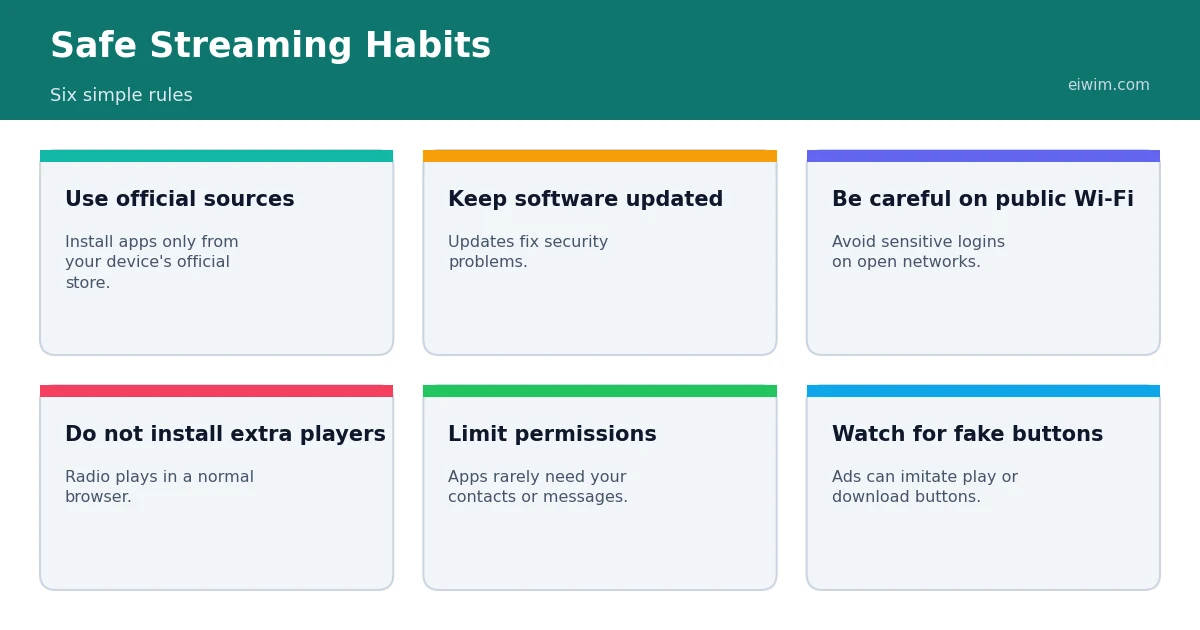
The most important rule is that radio does not require special software. Modern browsers play audio streams on their own. If a website tells you to download a "player" or "codec" or "update" to hear a station, treat it as a warning sign. Fake player downloads are a common way to spread unwanted software. If you want an app, install it from your phone's official store, check the developer name and read recent reviews first.
Beware of fake buttons and pop-ups
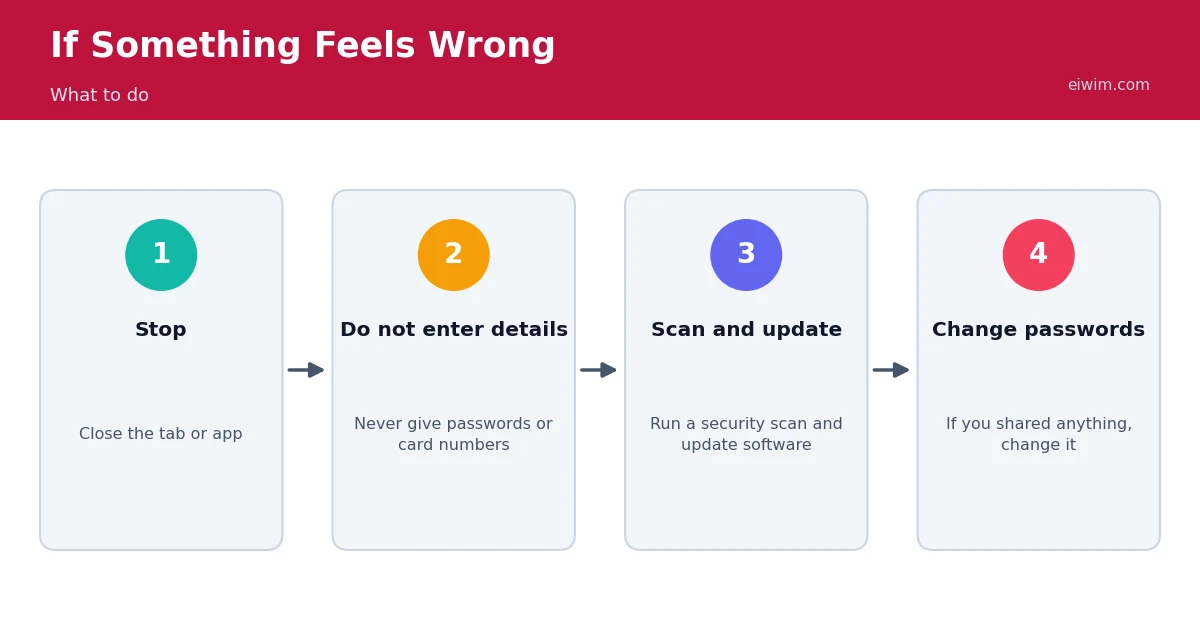
Some websites use advertisements that imitate the look of a play button, a download button or a system message. Clicking them can open unwanted pages or start a download. Learn what the real controls on the site look like and avoid clicking anything that appears to be an alert, a prize or a request to update your browser. A good ad blocker can reduce these problems, but remember that ad blockers can also prevent some streams from loading, so you may need to allow trusted sites.
Check that a stream uses https
Secure connections, shown by https and a lock icon in the address bar, protect the page you are visiting. Some older streams use plain http, which browsers may block on secure pages. This does not usually put you at risk when you only listen, but it can cause playback problems. If a stream will not start, our guide to fixing a stream that will not play explains why.
Public Wi-Fi
Listening to radio on public Wi-Fi is fine, but it is wise to avoid logging into banking, email or shopping accounts on open networks. If you need to do so, use your mobile data instead, or a trusted VPN. Remember also that public networks may be slow or block streaming, which can cause buffering.
Understand what a station can see
When you connect to a stream, the station's server can see your IP address, which indicates your approximate location, and information such as your device type. This is normal and necessary for delivering audio, and reputable stations use it for listener statistics. Stations and websites may also use cookies and similar technologies, especially if they show advertising. Read a site's privacy policy if you want to know how it uses data, and use your browser's privacy settings to control cookies.
App permissions
Radio apps need very few permissions. Playing audio, using the internet and perhaps showing notifications are enough. If an app asks for access to your contacts, messages, microphone or precise location, ask yourself why. If you cannot find a reason, deny the permission or choose a different app.
Protect children
If children listen to radio, remember that stations broadcast for adults and may include adult language or content. Some stations label explicit content, and others offer family-friendly programming. For young listeners, choose stations with clear descriptions and supervise their listening. Do not let children enter personal information into any site or app.
Keep your devices updated
Software updates fix security weaknesses, so keep your operating system, browser and apps up to date. Turn on automatic updates if you can. A modern browser also warns you about dangerous sites, so pay attention to those warnings rather than clicking past them.
Spotting scams
- A radio website should never need your card details to play a free stream.
- Messages that claim you have won a prize for listening are scams.
- Be cautious of "premium" players that promise access to restricted content.
- If something sounds too good to be true, it probably is.
How Eiwim fits in
Eiwim is a directory, which means stations stream from their own servers and we link to them. We check and update listings, and we encourage listeners to use the report option if a station behaves unexpectedly. You can read how we handle data in our privacy policy.
A quick checklist for a new device
When you set up a new phone, tablet or computer for listening, run through a short checklist. First, update the operating system and browser. Second, use a screen lock or password so that others cannot use the device without permission. Third, install only the apps you need, and from the official store. Fourth, review the privacy settings for location, microphone and notifications. Finally, save your favourite stations in the browser so you do not need to search for them through unfamiliar sites. These steps take only a few minutes and greatly reduce your risk.
Shared devices and family listening
If several people use the same device, consider separate user profiles or browsers so that history and favourites stay separate. Teach children to ask before clicking pop-ups or downloading anything, and explain that real radio streams never ask for personal details. If a device is used at work, follow your organisation's rules about streaming, because some networks block audio or limit bandwidth.
Keep a sense of proportion
Online radio is a safe, simple way to listen to music and news. The aim of these tips is not to make you anxious, but to give you the habits that experienced internet users follow without thinking: use official sources, update software, avoid unknown downloads and pause before clicking something unexpected.
Frequently asked questions
Is it safe to listen to online radio?
Yes, in general. The main risks come from fake downloads, misleading ads and unsafe networks, not from the audio itself.
Do I need a VPN to listen to radio?
Not normally. A VPN can help on public Wi-Fi or if you travel, but it can also trigger regional restrictions on some streams.
Why does a site ask me to install a player?
Modern browsers can play streams without extra software, so such requests are suspicious. Do not install anything you do not trust.
Can a station see who I am?
It can see technical information such as your IP address, but not your name unless you give it.
For basics on how listening works, read how to listen to radio stations online.