
Listening to Radio in the Car: FM, DAB, Bluetooth and Phone Streaming
October 19, 2026 · Updated November 01, 2026
The car is one of the most popular places to listen to radio. Drivers use it for news, traffic updates, music and company on long trips. Today you have more options than ever, from the radio built into the dashboard to streaming from a phone. This guide explains how each one works, what to expect and how to listen safely.
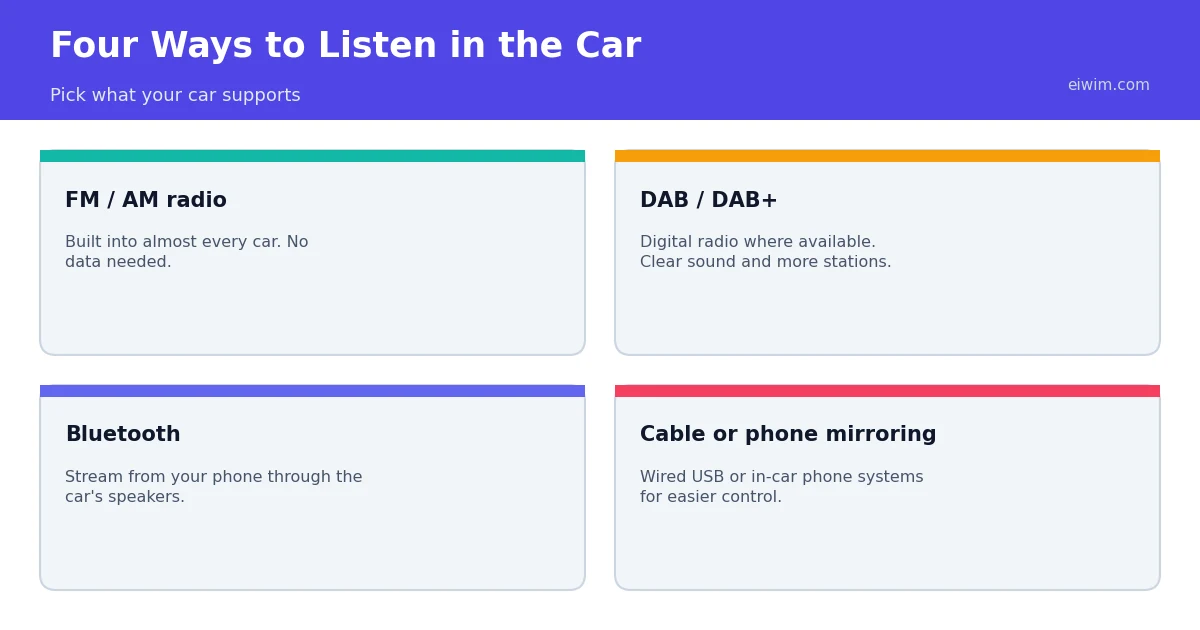
Option 1: FM and AM radio
Almost every car has an FM receiver, and many also have AM. These bands need no internet and no data plan, which makes them reliable. Their weaknesses are coverage and choice. You can only hear the stations whose signals reach you, and as you drive from one area to another you will lose a station and need to find another. Hills, tunnels and large buildings also weaken the signal. For a refresher on the bands, see our guide to AM vs FM radio.
Many FM radios include a feature called RDS, which sends text such as the station name and song titles. Some also support alternative frequency switching, which lets the radio follow the same station onto a stronger frequency as you travel. There is also an option for traffic announcements, which can interrupt other audio when the station broadcasts a traffic bulletin.
Option 2: DAB and digital radio
In countries where digital radio is widely broadcast, many newer cars include a DAB or DAB+ receiver. Digital radio offers clearer sound without hiss and often more stations than FM. It still depends on coverage, so sound can drop out in weak areas. Our guide to DAB, DAB+ and HD Radio explains the differences between systems.
Option 3: Bluetooth streaming
If your car supports Bluetooth audio, you can play radio from your phone through the car's speakers. Open an online radio station on your phone or in a radio app, connect to the car by Bluetooth and the sound plays like any other audio source. This gives you access to stations from anywhere, including your favourite stations from home when you are travelling. Browse stations by country or genre to find something new for a long drive.
Remember that streaming uses mobile data. At 128 kbps, a stream uses about 57.6 MB per hour. A 64 kbps stream uses about 28.8 MB per hour, which is a good choice for speech stations on a limited plan. Mobile signal can also drop in rural areas and tunnels, so the stream may pause or buffer.
Option 4: Cable or phone mirroring
Many modern cars offer a wired connection or a system that mirrors certain phone apps on the car's screen. These systems usually make it easier to control audio without handling the phone, and some support voice commands. Check your car's manual to see what it supports. A cable connection can also charge your phone, which is useful because streaming drains the battery.
Safety comes first
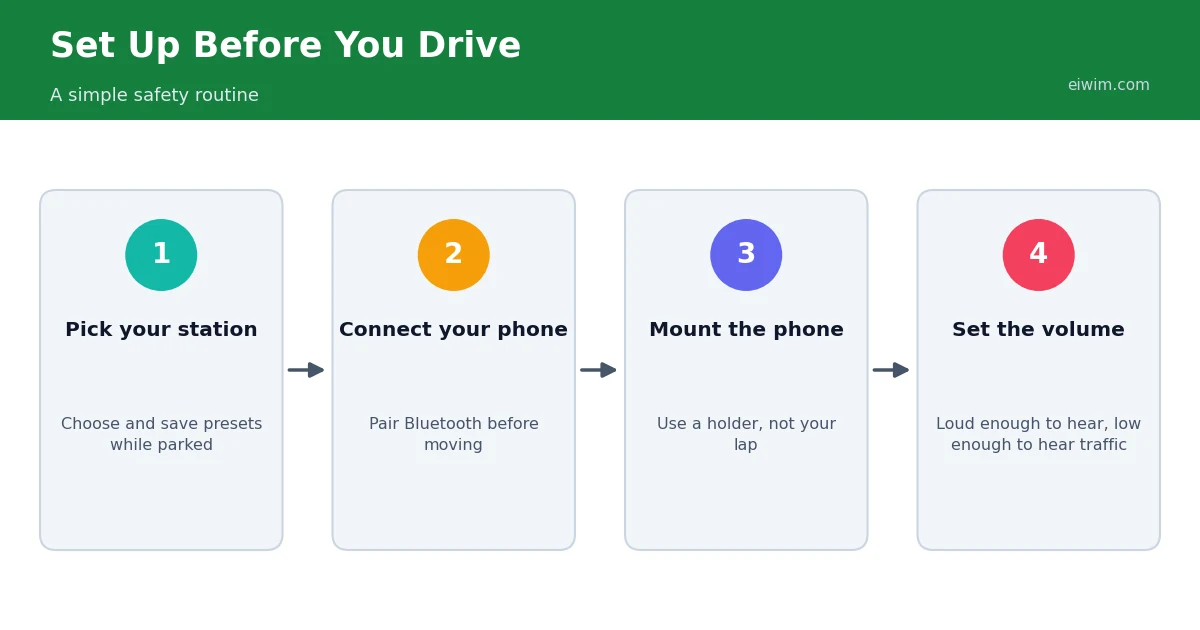
Radio should never take your attention away from driving. A few habits help:
- Choose your station before you start. Save presets for FM and DAB, and select your online station while parked.
- Use a phone holder. Do not hold a phone while driving. In many countries it is illegal, and it is always dangerous.
- Use voice control if you have it, but keep commands short and stop if you are distracted.
- Keep the volume sensible. You should still be able to hear emergency vehicles and horns.
- Let a passenger handle changes if there is one.
Picking the right content for the road
- Short trips: news and traffic from a local station, or a favourite music station.
- Long drives: a mix of music and talk keeps you alert. Try Classic Rock, Country, Pop or Oldies for sing-along music, and News-Talk for company.
- Night driving: avoid very sleepy music. If you feel drowsy, stop and rest rather than relying on radio to keep you awake.
- Foreign travel: listening to local stations is a good way to learn about a region and to practise the language. See our guide on learning a language with online radio.
Troubleshooting common problems
- Static or hiss on FM: you are probably at the edge of the station's coverage. Try another frequency or use the station's online stream.
- Stream keeps cutting out: mobile signal may be weak. Try a lower-bitrate stream or switch to FM or DAB for that stretch. Our guide to fixing a stream that will not play has more help.
- Bluetooth will not connect: remove the old pairing on both devices and pair again.
- Sound is quiet or distorted: check the volume on both the phone and the car, and avoid setting either to the maximum.
A checklist for long road trips
For a long journey, a little preparation makes the radio more enjoyable. Before you leave, note the names of two or three stations on your route and any frequencies they use. Save a few online stations that you enjoy, and check that your phone is charged or plugged in. If you expect poor signal, decide in advance what you will switch to, for example a different station or a playlist that does not need data. Keep a charging cable in the car and consider carrying a backup way to listen, such as a spare cable for a wired connection.
Sharing the soundtrack
Passengers often have different tastes, so a mix of genres helps. A general station playing Pop and Hits usually pleases most people, and stations focused on decades, such as 80s or 90s, work well for families. If you cannot agree, take turns choosing a station for an hour each.
Frequently asked questions
Can I listen to online radio in a car without Bluetooth?
Yes. If your car has an auxiliary input or a USB connection, you can connect your phone with a cable. Some drivers also use small adapters, but quality varies.
Does streaming radio use a lot of data?
About 28.8 MB per hour at 64 kbps and 57.6 MB per hour at 128 kbps. Use Wi-Fi to download nothing in advance, since live radio cannot be saved, or choose lower bitrates on mobile data.
Why does my favourite FM station fade on long journeys?
FM signals only travel a limited distance. As you move out of range, the signal weakens. Using the station's online stream or a related station can keep the sound going.
Is it safe to change stations while driving?
Do it only when it is safe to do so, using steering-wheel controls or voice commands if available. If in doubt, wait until you have stopped.
Plan your next trip by browsing stations on the countries page, and enjoy the drive.